
AGENTLESS PAM FOR HUMAN, AI AND MACHINE IDENTITIES
Privileged access for every system you run.
Agentless, self-hosted privileged access management. Give administrators, vendors and AI agents the access they need, and keep credentials and access decisions in your own environment.
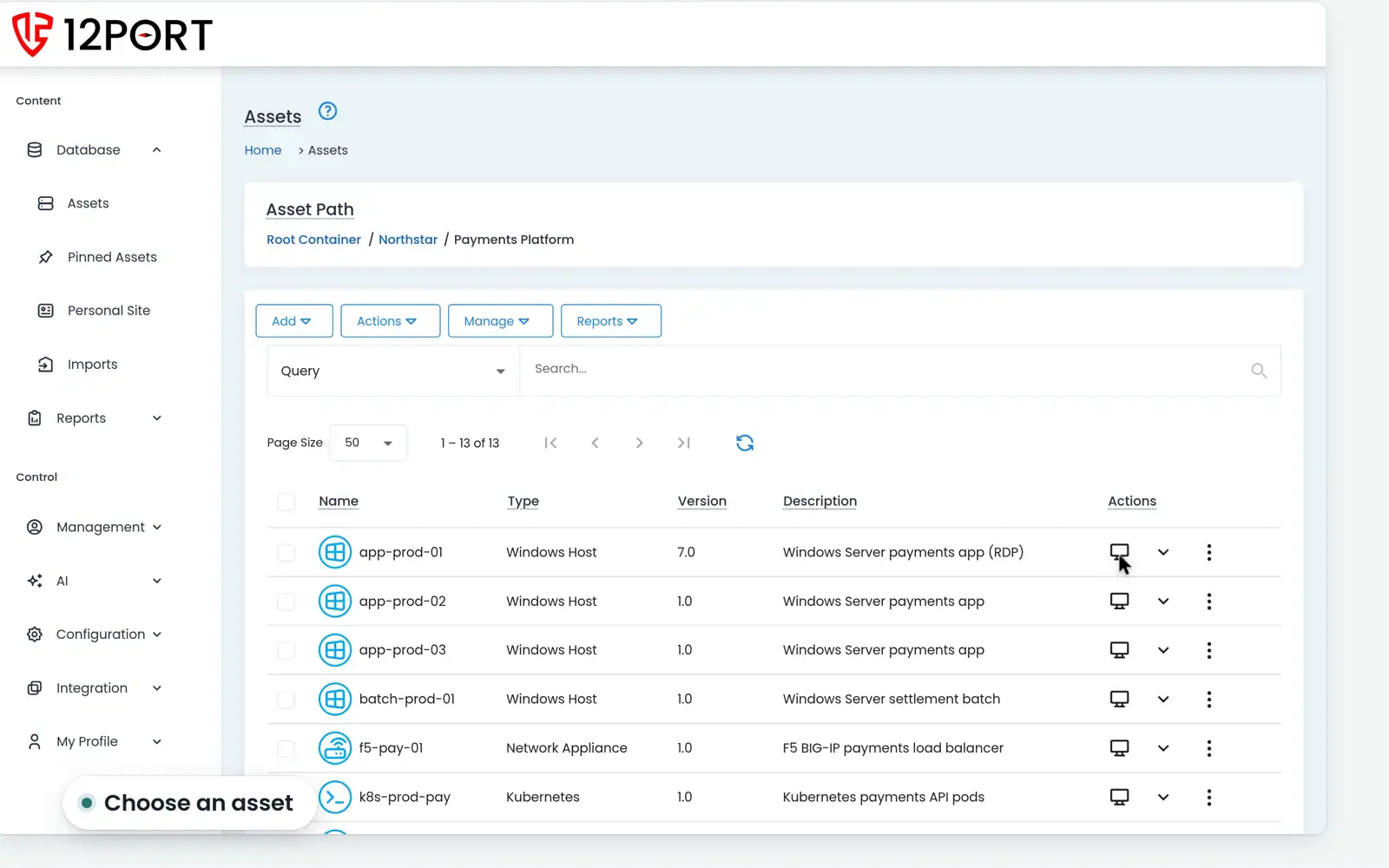
Native RDP, SSH & PowerShell · Browser access · Your infrastructure
FROM REQUEST TO REVIEW
Control access from the request to the review.
Define who can access what, approve each request, connect to the asset, then review the activity.
01 / SCOPE
Who can access what
02 / APPROVE
When access is allowed
03 / CONNECT
Native or browser sessions
04 / REVIEW
Live and recorded activity
JIT ADMIN ACCESS
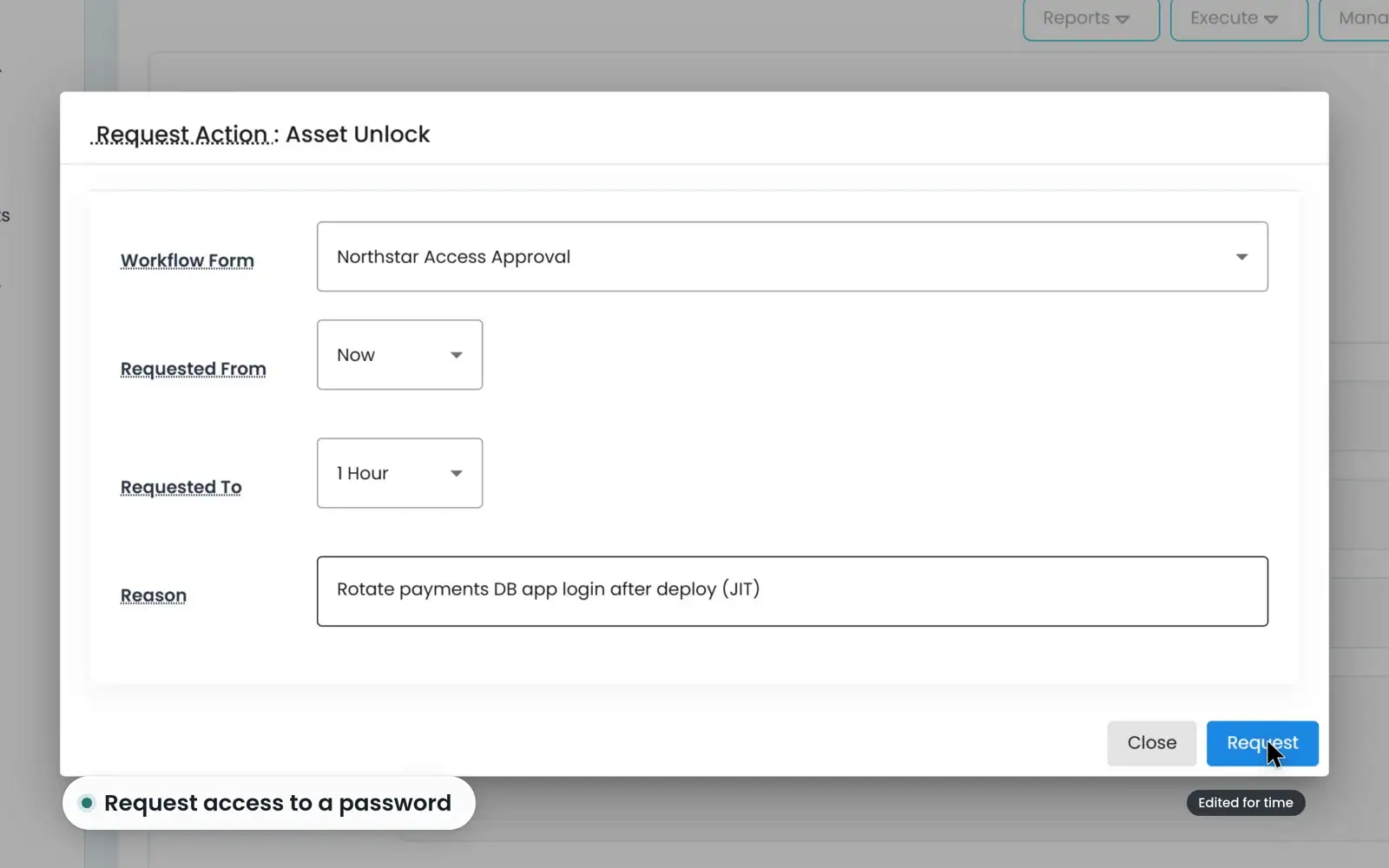
Access when it’s needed.
Require approval and set an access window. Use password check-out and check-in when a credential must be retrieved.
TEAM & VENDOR ACCESS
Each role gets a defined scope.
Give administrators and vendors access to the assets their work requires. See how the available resources change with the role.

THE PLATFORM
Three capabilities in one place to manage access.
Secure Vault
Protect credentials and govern who can retrieve them.
Access Broker
Connect through supported native clients and browser sessions.
Account Management
Discover accounts across Active Directory, Entra ID, VMware and AWS. Automate supported password rotation and reconciliation.
AI AGENTS / HUMAN APPROVAL
Let AI agents work while a person stays in control.
An external agent requests access through the REST API and a person approves it. The agent then connects over SSH, and a reviewer examines the recorded session.
Session Intelligence evaluates supported live sessions for risk and can apply the responses you configure. AI-Powered Insights summarizes report data through the AI provider you connect.

DEPLOY IT YOUR WAY
Your access decisions stay on your infrastructure.
Run 12Port on premises or in your own cloud. Start with one real access workflow.
CLEAR PRICING
$595
USD per named PAM user, per year.
Includes the three core capabilities, AI features, unlimited managed assets, REST API access, support and updates. Peer nodes, HA/DR and MSP pricing are quoted separately.
EXTREME SUPPORT
Direct access to the engineers who build 12Port.
When you need help, you work with the people who write the product. Replies are fast and informed, and fixes ship in weekly releases.
WHAT THAT MEANS
Engineers answer. No scripted first line between you and the people who can fix it.
Fast replies. Production-down issues are escalated immediately.
Weekly releases. Fixes, security updates and requests do not wait for a quarterly cycle.
Included. Support and updates come with every license.
CUSTOMERS
What our customers say.
“We moved over 150 users off of our previous PAM platform in just a few weeks and took advantage of 12Port’s great support and implemented a highly available multi-region PAM.”
12Port customer
Global consumer products company
“Our consultants recommended we buy the market leader, and then we got the quote and realized that price isn’t even possible for a bank. We trialed 12Port and found that it had all the features we needed, plus a bunch more that we could grow into, and moved immediately to purchase.”
12Port customer
Commercial bank
“12Port Support is freaking awesome!”
12Port customer
Construction and engineering group
What’s new · last 30 days
Shipped recently.
Follow our release notes and documentation for the latest features and platform updates.
November 14, 2026
Added support for peer administrators to request access to join active WEB Sessions, subject to approval by the session owner
Read the release note →November 7, 2026
Added support for integrating with LDAP and Microsoft Active Directory servers located in isolated remote networks through Peer node connections
Read the release note →October 31, 2026
Added support for searching within web pages displayed in Remote Browser sessions
Read the release note →October 24, 2026
Added support for secure file transfers during Zero Trust access to WEB Portals through WEB HTTP Sessions
Read the release note →The team behind 12Port
Built by experienced PAM founders.
12Port was co-founded by Mark Klinchin and Peter Senescu. They previously co-founded Xton Technologies, a privileged access management company acquired by Imprivata in 2021, and MetaVis Technologies, acquired by Metalogix in 2015. Metalogix later became part of Quest Software.
Meet the founders and talk to the people building 12Port.
Get started
Prove it on one real access workflow.
Choose a test server. Launch a brokered session without sharing its password, review the activity, then test a credential rotation. Talk to an engineer about network reach, native tools, clipboard needs and specialized applications before planning your rollout. Read the PAM migration checklist.